Возможности
Как записывать тренировки быстрее, использовать шаблоны, AI-тренера, автоподсказки и другие удобства приложения.
Тренировки
Записывайте каждый подход за секунды. Полный контроль — от создания до редактирования завершённых сессий.
Создание
Начните тренировку одним нажатием или создайте её на прошлую дату. Можно вести несколько активных тренировок одновременно.
Запись подходов
Каждый подход сохраняется мгновенно. Вводите вес, повторения, время, дистанцию — набор полей адаптируется под тип упражнения.
Редактирование
Завершённые тренировки можно редактировать — добавить/убрать подходы, исправить вес.
Управление временем
Редактируйте время начала и окончания тренировки. Установка времени окончания на активной тренировке автоматически её завершает.
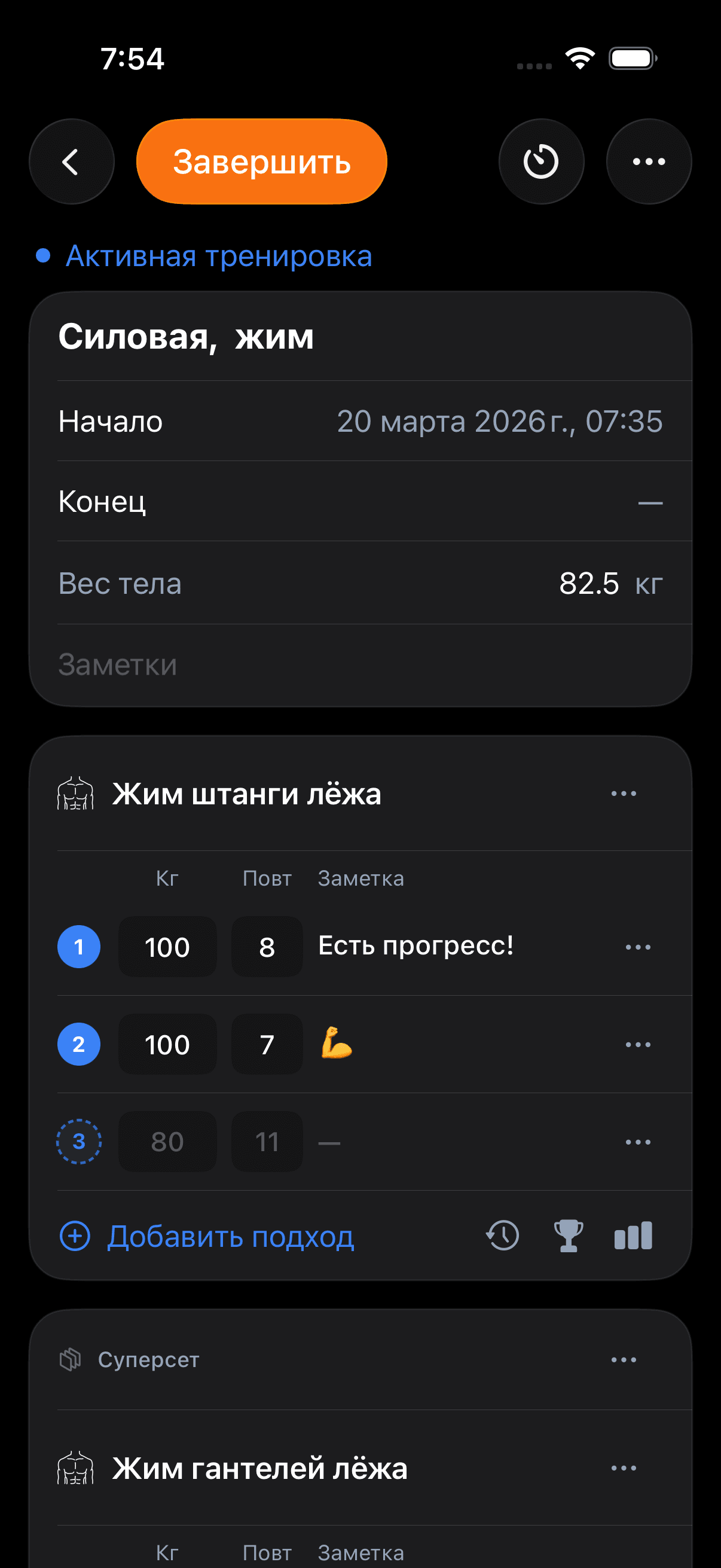
Автозаполнение подходов
Серые подсказки в полях ввода показывают значения из предыдущих тренировок — не нужно вспоминать, с каким весом работали.
- Последняя тренировка — значения из предыдущей сессии
- Шаблон — значения из шаблона
- Текущая сессия — из предыдущего подхода
Источники подсказок
Spodi подбирает подсказки из трёх источников, и вы можете переключать их прямо в тренировке:
Выбор источника
Переключайте источник прямо в тренировке — выбор сохраняется и синхронизируется между устройствами.
Жим штанги лёжа
Грудь
| # | КГ | ПОВТ. | ЗАМЕТКА | |
|---|---|---|---|---|
| 1 | 100 | 8 | Есть прогресс! | |
| 2 | 100 | 8 | ||
| 3 | 100 | 8 | ||
| 4 | 100 | 8 |
Суперсеты и разделы
Группируйте упражнения в суперсеты, трисеты и дропсеты. Организуйте тренировку по разделам.
Суперсеты
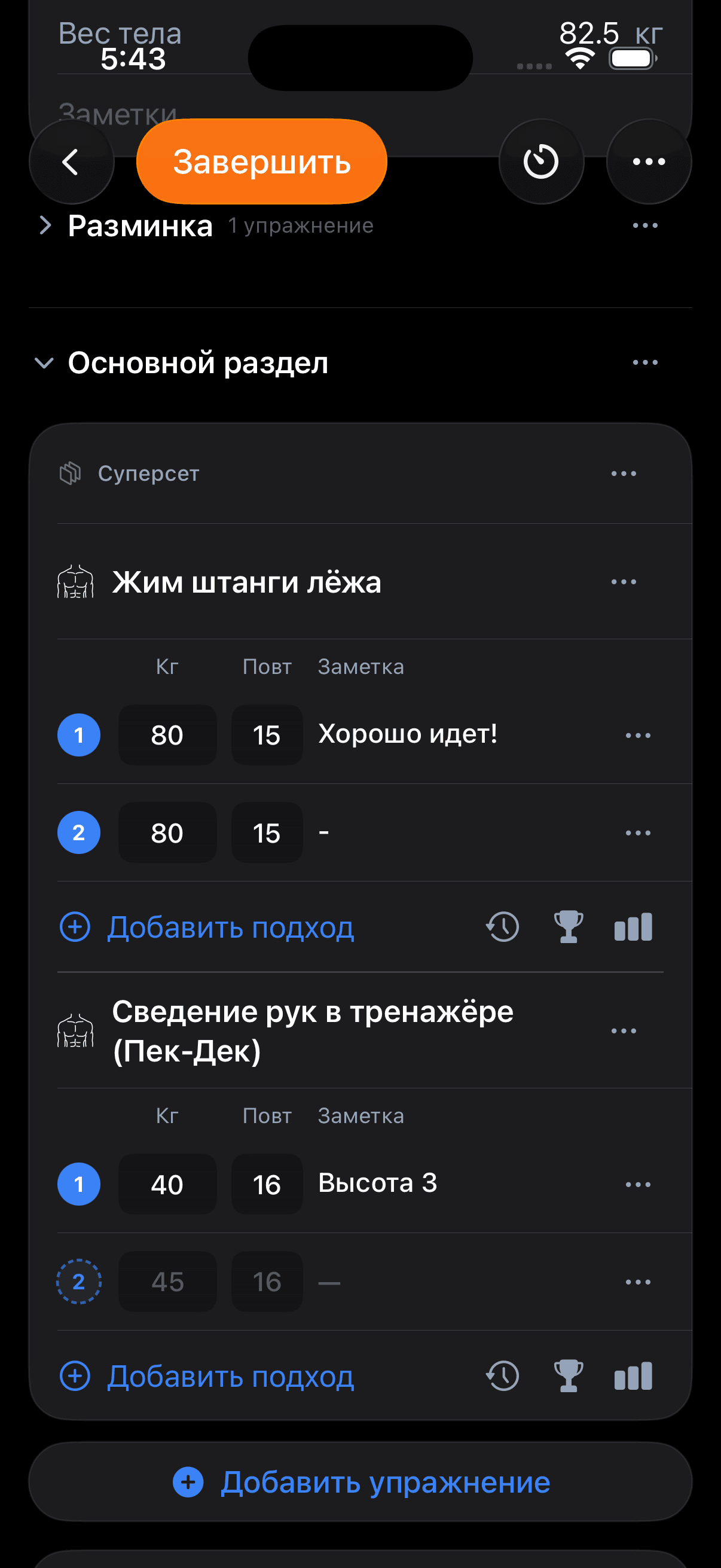
Объедините от 2 до 10 упражнений в суперсет — они визуально группируются и выполняются без отдыха между ними.
Как создать суперсет
Три способа: добавить упражнения через пикер сразу как суперсет, выделить смежные упражнения и объединить, или через ··· на упражнении соединить с тем, что выше.
Разделы
Добавляйте именованные разделы: разминка, основная часть, заминка. Разделы можно сворачивать и разворачивать — чтобы длинная тренировка не превращалась в бесконечный список.
Шаблоны
Создавайте шаблоны тренировок и запускайте их одним нажатием. Делитесь с друзьями по ссылке.
Создание
Создайте шаблон с нуля или сохраните текущую тренировку как шаблон.
Быстрый старт
Запустите тренировку из шаблона одним нажатием. Все упражнения и подходы скопируются.
Шаринг
Поделитесь шаблоном по уникальной ссылке. После импорта шаблон полностью независим.
Push Day A
Pull Day B
AI-тренер
Подбирает тренировку под вашу историю, цель, оборудование и доступное время. Можно принять готовый план или быстро заменить отдельные упражнения.
Настройка
Откройте Профиль → AI-тренер и укажите цель, опыт и оборудование. Там же можно включить или скрыть кнопку AI в верхней панели.
Генерация
Нажмите кнопку AI, выберите тип тренировки и длительность. Spodi соберёт карточку с упражнениями, подходами, повторами и рабочими весами.
Проверка карточки
Тап по упражнению открывает детали техники, круговая стрелка заменяет упражнение, крестик пропускает вариант, сердце принимает.
Старт тренировки
После принятия Spodi создаёт шаблон, синхронизирует его и открывает новую тренировку с уже заполненным планом.
Статистика и рекорды
Отслеживайте прогресс по каждому упражнению. Графики и рекорды адаптируются под тип упражнения.
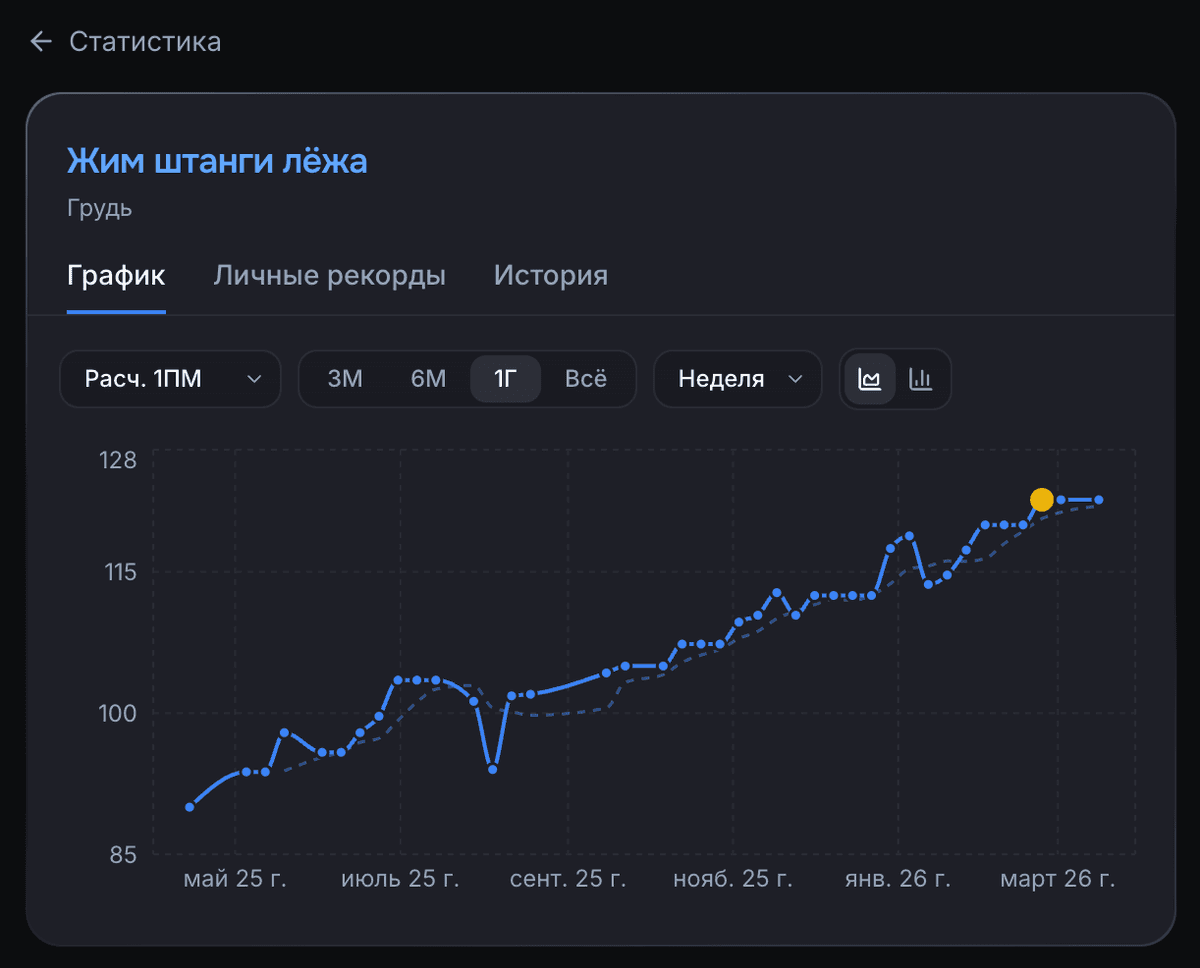
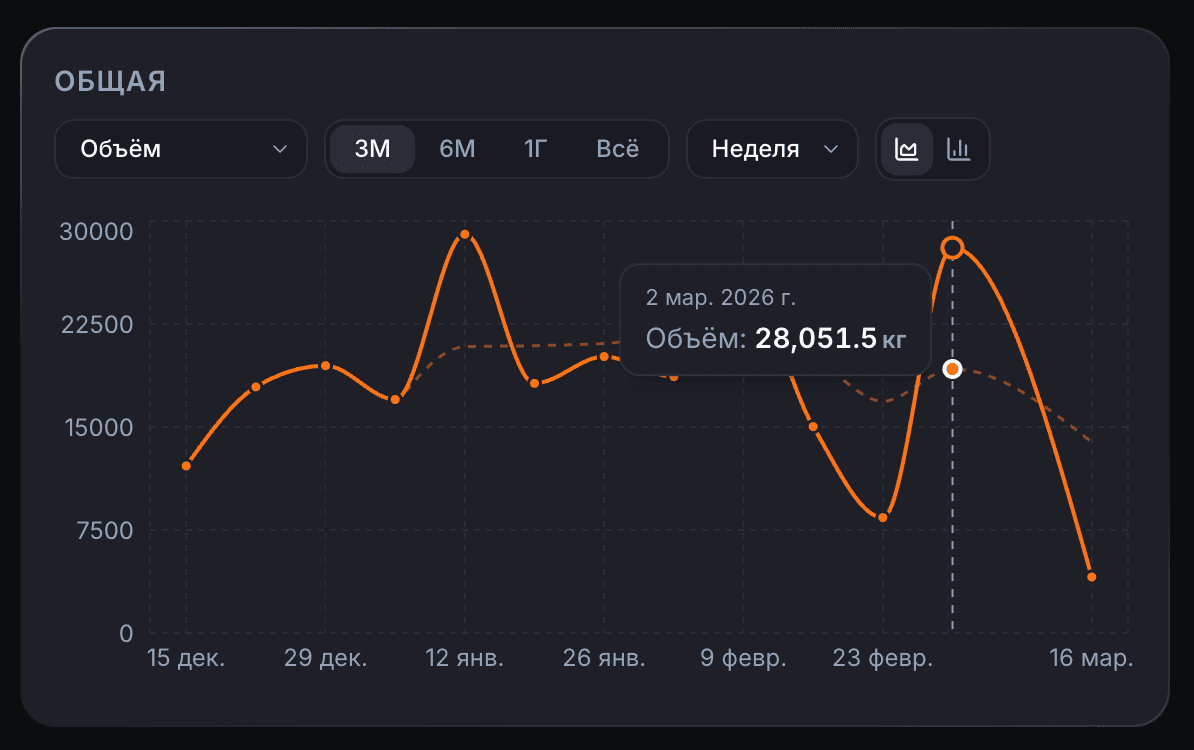
Графики
Визуализируйте прогресс: объём, макс. вес, повторения — за неделю, месяц, всё время.
Персональные рекорды
Spodi автоматически считает рекорды: лучший подход, макс. объём, макс. повторения.
История
Вся история подходов — сколько, когда, с каким весом. Формат адаптируется под тип упражнения.
Типы упражнений
9 типов ввода для любого формата — от жима с весом до растяжки с заметками.
- Вес + повторения — жим, приседания, тяги
- Собственный вес — подтягивания, отжимания
- Свой вес с противовесом — гравитрон, резина
- Время — планка, изометрика
- Дистанция + время — бег, плавание
- Вес + время — фермерская прогулка
- Повт. + время — табата, EMOM
- Высота + повторения — прыжки на тумбу
- Заметки — растяжка, мобильность
Кастомные упражнения
Создайте своё с нужным типом ввода — прямо во время тренировки.
Таймер и отдых
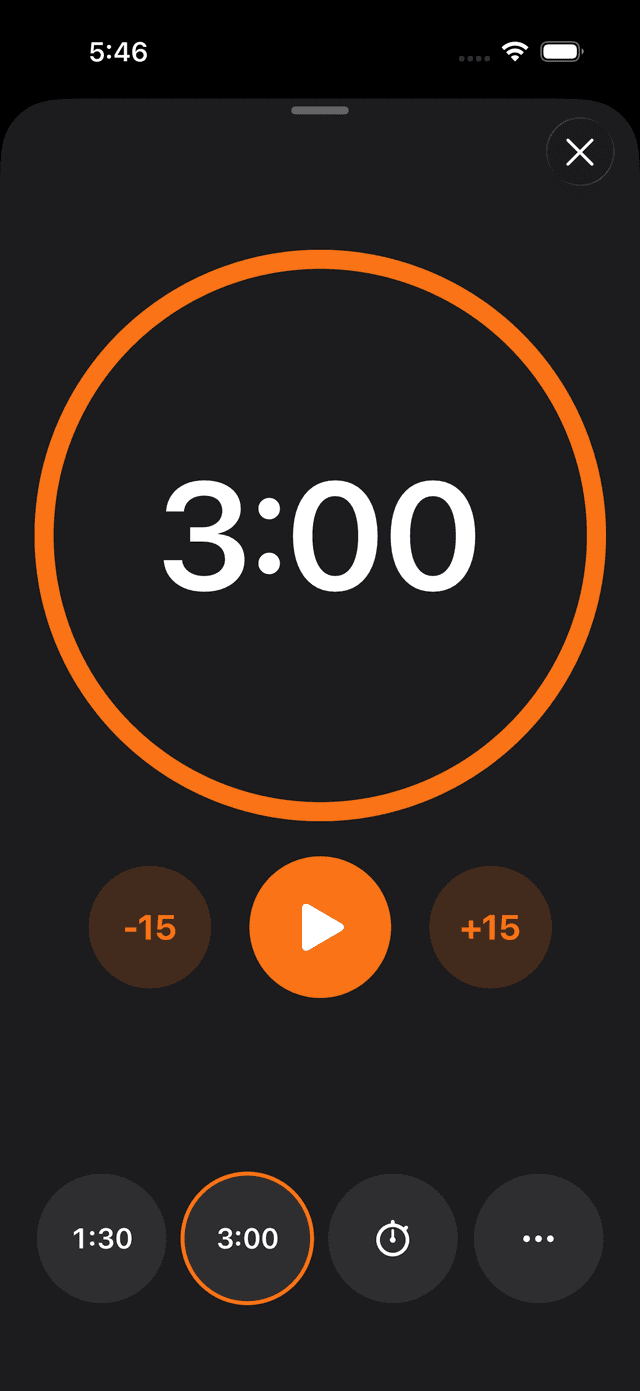
Встроенный таймер отдыха и секундомер — прямо в тренировке.
Таймер отдыха
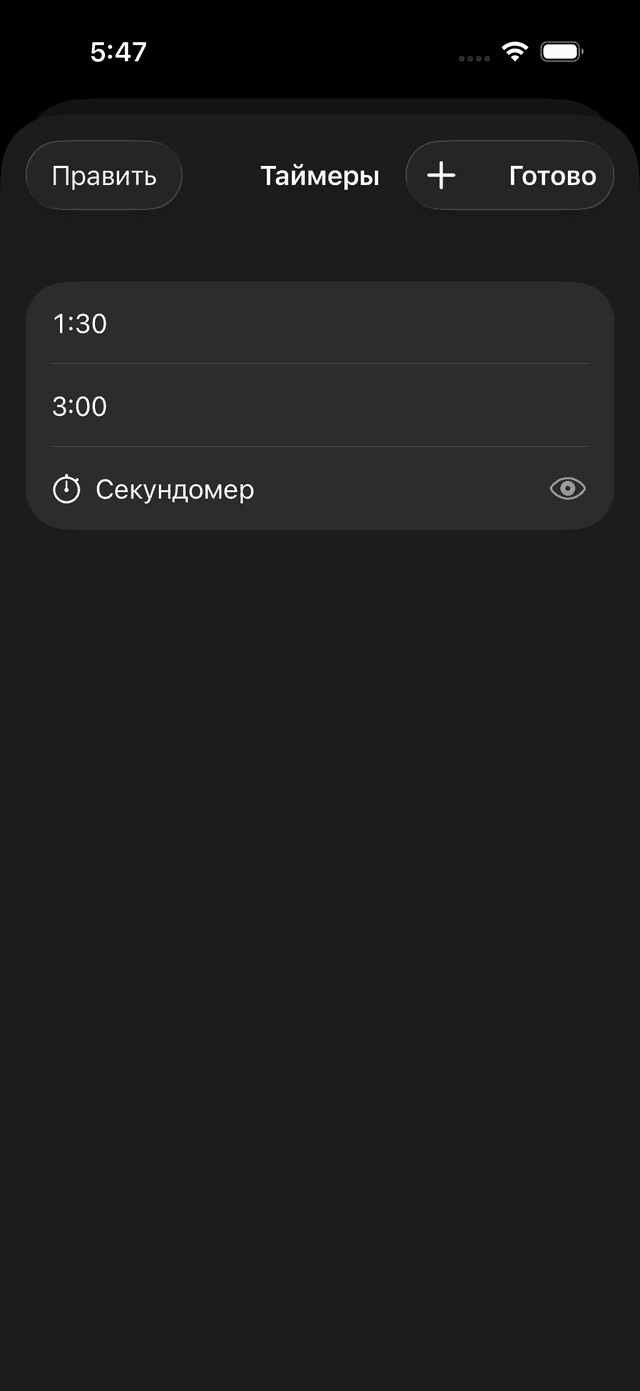
Запускайте после подхода — с пресетами (30с, 60с, 90с, 2м, 3м, 5м) или произвольным временем.
Live Activities (iOS)
Таймер отображается в Dynamic Island и на экране блокировки — контролируйте отдых без разблокировки.
Офлайн и синхронизация
iOS-приложение работает полностью офлайн. Данные синхронизируются автоматически.
Офлайн-режим
Все данные хранятся локально (SwiftData). Записывайте тренировки в метро, подвале зала или в самолёте.
Двусторонняя синхронизация
При появлении сети данные автоматически синхронизируются. Инкрементально — передаются только изменения.
Мультиплатформа
Нативное iOS-приложение + веб-версия. Один аккаунт — все данные везде.
iOS
SwiftUI-приложение с офлайн-режимом, Live Activities, анимациями и мгновенным откликом.
Web
Полнофункциональная веб-версия — все фичи в любом браузере.
Синхронизация
Начните тренировку на iPhone, завершите на ноутбуке. Всё синхронизируется.
Готов вывести тренировки на новый уровень?
Присоединяйся к тем, кто тренируется умнее вместе со Spodi.